
Getting an API Key
An API key (api_...) lets your backend call Imbrace without user sessions. For when to use an API key versus an access token, see Authentication.
Get API Key from UI
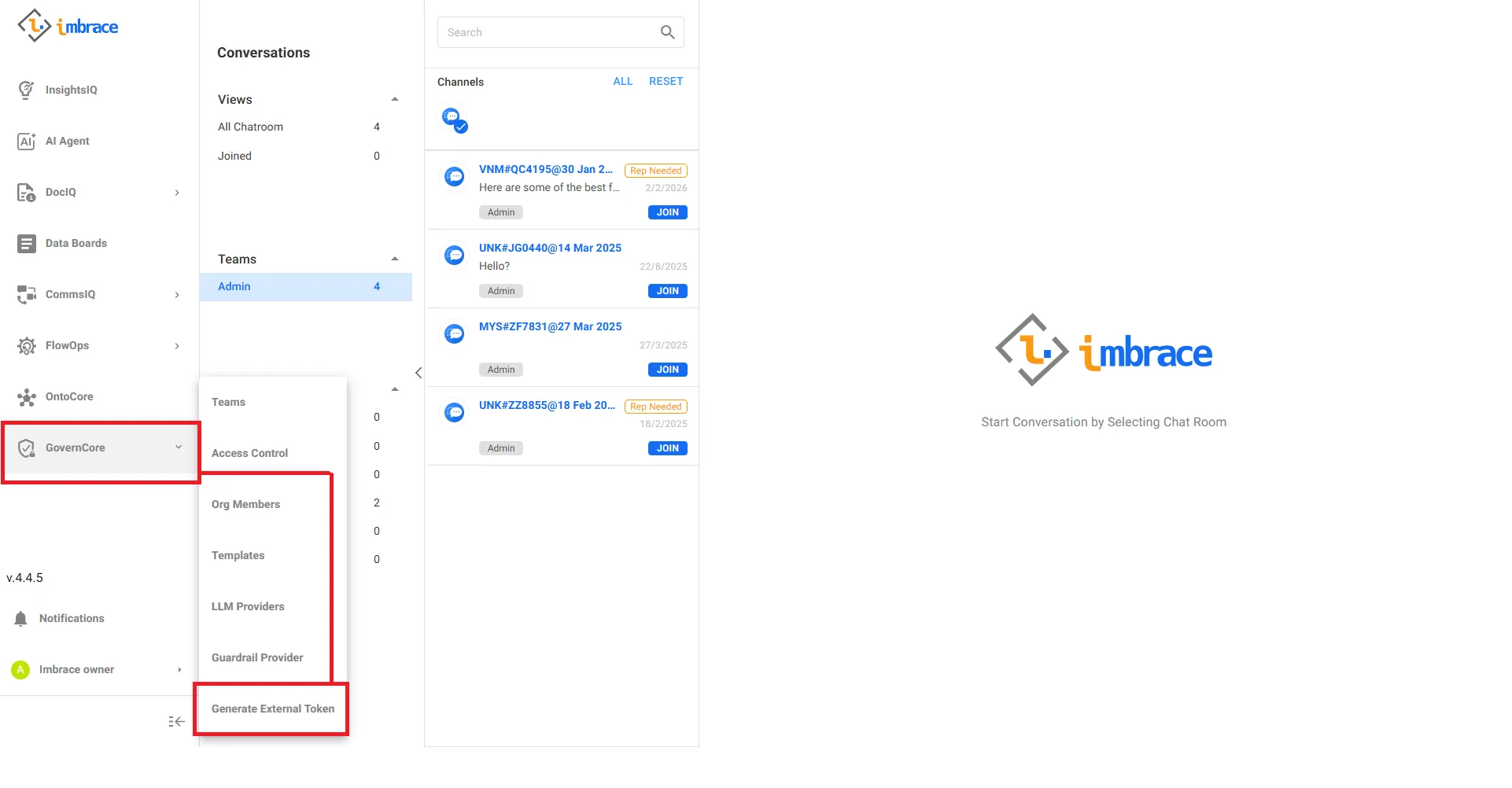
Step 1 — Log in to the Imbrace Portal, then navigate to GovernCore → Generate External Token.
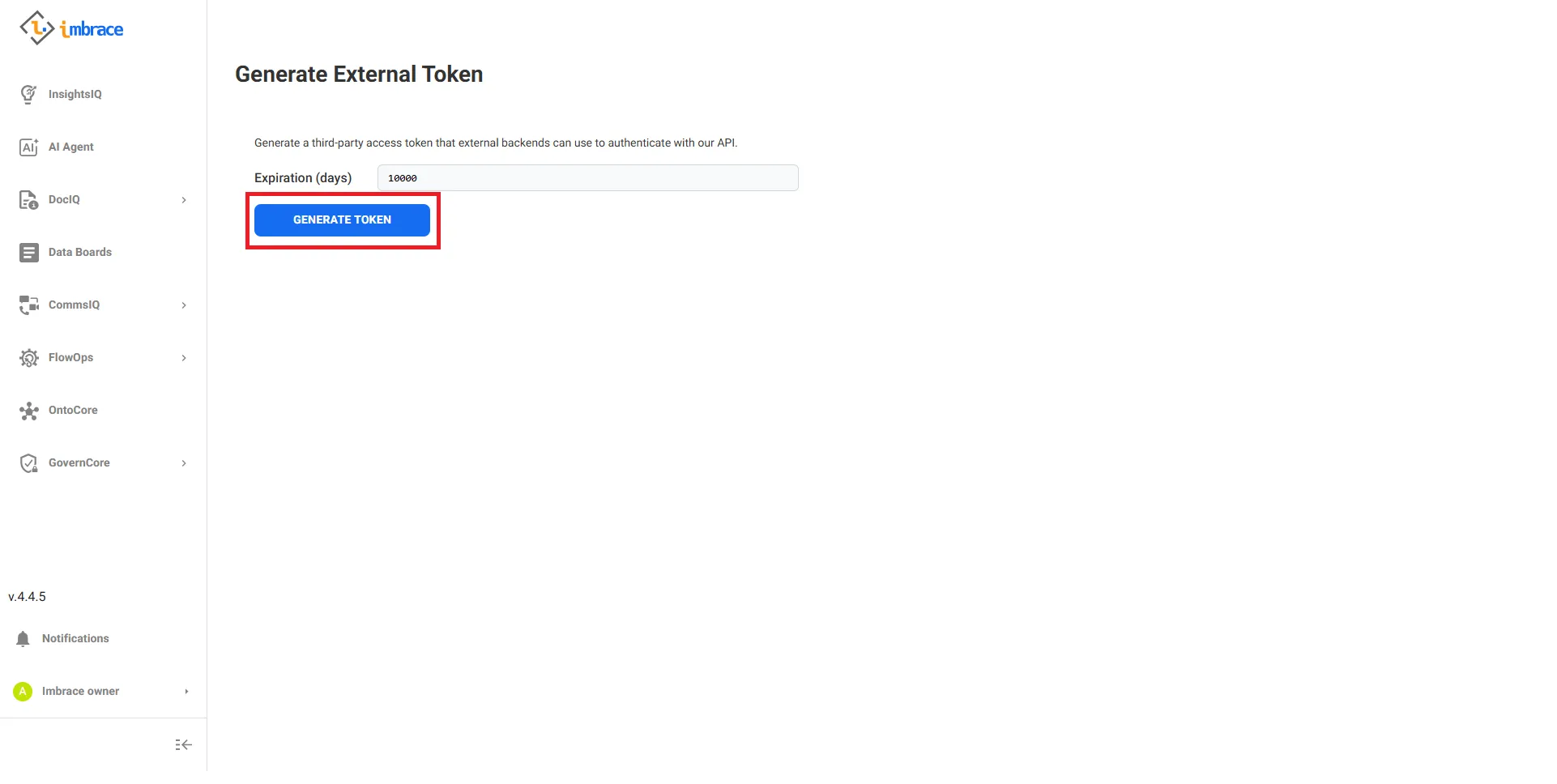
Step 2 — Click Generate Token to issue a new API key.
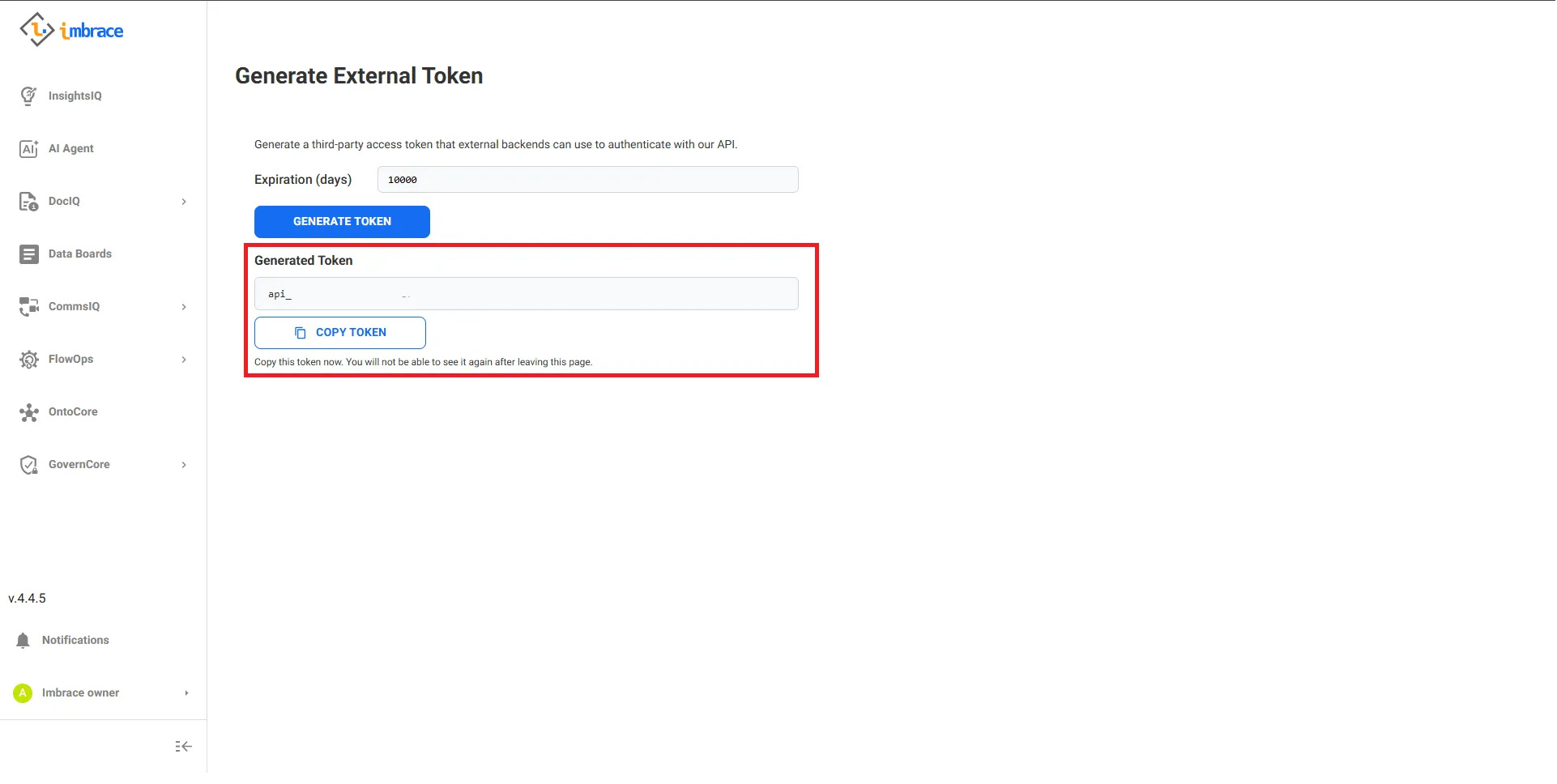
Step 3 — Copy the generated key. It starts with api_ and is only shown once.
Generate via SDK (programmatic)
Use this when you need to generate a key from code, for example during automated provisioning. You must be authenticated with an access token first (via OTP or password).
// Requires client initialized with an access tokenconst res = await client.auth.getThirdPartyToken(30) // expires in 30 daysconst apiKey = res.apiKey.apiKey // "api_..."# Requires client initialized with an access tokenres = client.auth.get_third_party_token(expiration_days=30)api_key = res["apiKey"]["apiKey"] # "api_..."The response shape (full fields below — internal fields omitted for brevity):
{ "apiKey": { "_id": "...", "apiKey": "api_...", "organization_id": "...", "user_id": "...", "is_active": true, "expired_at": "2025-08-01T00:00:00.000Z", "created_at": "2025-07-01T00:00:00.000Z", "updated_at": "2025-07-01T00:00:00.000Z", "is_temp": false }, "expires_in": 2592000}Using the key
Pass the key to the client constructor:
import { ImbraceClient } from "@imbrace/sdk";
const client = new ImbraceClient({  apiKey: process.env.IMBRACE_API_KEY!,  organizationId: process.env.IMBRACE_ORGANIZATION_ID,  env: "stable",});
import osfrom imbrace import ImbraceClient
client = ImbraceClient( api_key=os.environ["IMBRACE_API_KEY"], organization_id=os.environ.get("IMBRACE_ORGANIZATION_ID"), env="stable",)